
Key Takeaways
-
Monitoring quality comes down to process, not just coverage. Signal receipt, classification, verification, escalation, dispatch, and reporting all have to work together, not just “someone watching.”
-
Central station and verified response are the two terms to interrogate first. Ask how signals are received, backed up, and escalated, and whether available video, access, analytics, or other context can be used to assess an event before it is escalated.
-
Fire alarm monitoring should be evaluated separately from intrusion monitoring. Life-safety signals need distinct prioritization, escalation, and documentation, and requirements vary by jurisdiction.
-
Verification is an important lever for reducing avoidable dispatches. Video, access, and other system context can help distinguish a forced door from an authorized cleaner using the wrong entrance, but system design and daily operations—permissions, schedules, onboarding, and offboarding—matter too.
-
Integration changes what monitoring can tell you. When supported and configured, connecting alarms to video, access control, and environmental monitoring can add location, camera, credential, user, and response context to an event.
-
Pricing depends on more than a monthly number. Sites, zones, verification needs, fire monitoring, communication paths, and support level all drive cost, and the cheapest option may not fit a complex commercial property.
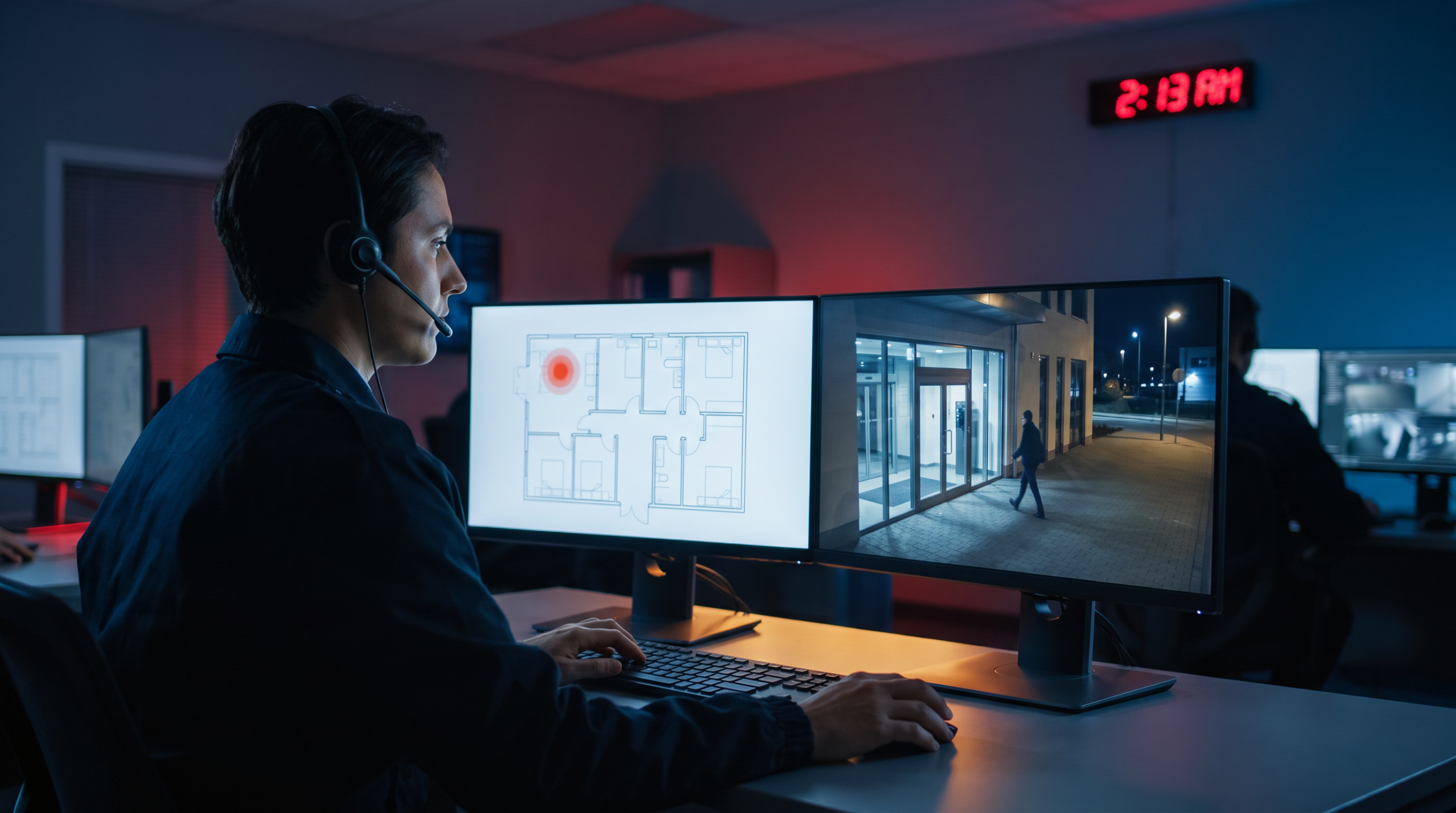
An alarm goes off at 2:13 a.m. at your property. What happens next? If you’re choosing an alarm monitoring company, that’s the part that matters most. Not just whether someone is “watching” 24/7, but whether the signal is assessed, routed through a qualified central station, escalated correctly, and connected to the cameras, doors, and activity that can help explain what is happening.
For a commercial property manager or business operator, this isn’t just about having monitoring. It’s about reducing avoidable false alarms, protecting residents and staff, and keeping control when something needs a response fast. Commercial fire alarm monitoring adds another layer, with life-safety considerations that should never be treated like a standard intrusion alert. In this guide, you’ll see how to evaluate a monitoring partner based on response workflow, central-station quality, integration, and the operational details that decide whether your system helps prevent incidents or just records the aftermath.
What Does a Commercial Alarm Monitoring Company Do?
A commercial alarm monitoring company receives alarm signals from your property and turns those signals into an organized response.
In a real building, an alarm event may come from a door contact, motion sensor, panic device, glass-break sensor, environmental sensor, smart lock or door event, or fire alarm system. The monitoring process should define what happens next: who gets notified, whether the event can be assessed using available context, when dispatch is requested, and how the incident is documented afterward.
For a property manager, the value is not just “someone got the alert.” The value is that the right action happens without confusion.
A basic workflow usually includes:
- Signal receipt: The system sends an alarm event to the monitoring center.
- Event classification: The event is identified by type, location, zone, and priority.
- Assessment or verification: The team reviews available context, such as video, video analytics, related access events, or other connected signals, when the system and monitoring service support it.
- Escalation: The right contacts are notified based on your site instructions.
- Dispatch: Emergency services or guard response may be contacted when conditions and the response protocol call for it.
- Reporting: The event is logged so your team can review what occurred.
This is where commercial monitoring separates itself from simple app alerts. Self-monitoring can tell you something happened. Professional monitoring should help determine what needs to happen next.
If you manage commercial property security, that difference matters. You may have tenants, vendors, staff, cleaning crews, delivery drivers, and after-hours access schedules all intersecting at the same site. A monitoring partner needs to understand the building as an operation, not just as a panel sending signals.
Verified Response and Central Stations in Alarm Monitoring
Two terms should come up early when you evaluate any provider: central station and verified response. They are not marketing extras. They define the quality of response behind the alarm.
What Does a Central Station Do?
A central station is the facility or monitoring operation that receives alarm signals, follows documented escalation instructions, and coordinates response.
For commercial buyers, the central station is where accountability lives. If an event happens at 2:13 a.m., your property does not benefit from a vague “alert.” It benefits from a defined process. Industry bodies such as The Monitoring Association (TMA) publish standards for central-station operations. Ask how the central station handles:
- Power, network, and communication redundancy
- After-hours escalation lists
- Different event types and priorities
- Site-specific instructions
- Documentation after an alarm event
- Backup procedures if the primary communication path fails
- Testing procedures and how the account is placed on and taken off test
What Is a Verified Response?
Verified response generally means the monitoring team uses additional context to assess whether an alarm appears to reflect a real event before escalation. The exact workflow, available information, and dispatch decision vary by platform, monitoring provider, jurisdiction, and site instructions.
Video verification is one common example. If an exterior motion alarm triggers, the monitoring team may review connected camera views, event clips, live video, or analytics indicators—when available—to assess whether the event appears to involve a person near an entrance, an employee leaving late, an animal, a moving branch, or another non-threat condition.
Without additional context, every signal can look similar. With available verification tools, the monitoring team can make a better-informed decision and give responders more useful information.
This is where commercial video security becomes more than recorded footage. The camera is not just there for investigation after the fact. When connected to a compatible monitoring workflow, it can help assess what is happening while the event is still active.
What to Look for in a Monitoring Service
The right alarm monitoring company should be evaluated on response quality, integration, support, and operational fit. Price matters, but it should not be the first filter. Use the criteria below to compare providers in a way that reflects how your property actually runs.
| Criteria | What to ask | Why it matters |
|---|---|---|
| Central-station quality | How are alarm signals received, prioritized, backed up, and escalated? | You need a reliable process, not just a phone call after an alert. |
| Assessment or verified response | Can the monitoring team assess events using video, analytics, or other connected signals? What information can the operator see, and when? | Available verification can reduce unnecessary dispatch and improve situational clarity. |
| Video and access integration | Can alarms be tied to cameras, doors, users, schedules, or smart-lock activity? Which connections are native, optional, or third-party? | You need enough context to understand who has access, where, and when. |
| Commercial fire handling | How are fire alarm signals handled differently from intrusion alerts? | Fire monitoring has life-safety and compliance implications. |
| Reporting | What event history, alarm logs, verification notes, and incident documentation will you receive? | Clear records support follow-up, tenant communication, and accountability. |
| Support | How do you update contacts, schedules, access rules, and response instructions? | Monitoring only works when account details stay current. |
| Multi-site visibility | Can the provider support one property today and a portfolio later? | Consistent oversight matters as your responsibilities grow. |
If you already have a security system, ask whether the provider can monitor it as-is, whether upgrades are needed, and what limitations come with keeping existing equipment. Existing-system takeover can be useful, but it may limit video assessment, access integration, smart-lock functions, or reporting if the underlying system was not built for those workflows.
Also ask about communication paths. Internet and cellular connections are commonly used in alarm monitoring, and some systems may also use other paths depending on the equipment. The real question is not which label sounds better. It is whether the provider has a reliable primary path and a practical backup plan.
Commercial Fire Alarm Monitoring Considerations
Commercial fire alarm monitoring should be evaluated separately from intrusion monitoring. At a minimum, ask:
- Does the provider support commercial fire alarm monitoring for your property type?
- How are fire signals prioritized compared with intrusion signals?
- Who is notified when a fire signal is received?
- How are tests, troubles, supervisory signals, and alarm events handled?
- What documentation is available after an event?
- What local requirements should your team confirm before activation?
This is general guidance, not legal or code advice. Commercial fire alarm signaling is governed by standards such as those published by the National Fire Protection Association (NFPA), and requirements can vary by jurisdiction, building type, occupancy, and system design. Before deciding, confirm the requirements that apply to your property with the appropriate local authority and qualified fire professionals.
False Alarms and How Verification Reduces Them
False alarms create more than noise. They wake up property managers. They disrupt residents. They pull staff into after-hours calls. They can lead to unnecessary dispatches. Over time, they weaken confidence in the system because people start assuming the next alert is probably nothing.
Verification can help by adding context before escalation. If a door alarm triggers after hours, video, access data, smart-lock activity, or related system events may show whether someone forced entry, whether an authorized cleaner used the wrong door, or whether a door failed to latch. Those are different situations. They should not all trigger the same response.
False-alarm reduction also depends on system design and daily operations:
- Clear user permissions
- Accurate schedules
- Clean onboarding and offboarding
- Proper sensor placement
- Site-specific escalation instructions
- Regular review of repeat alarm sources
- Camera placement and analytic settings that fit the property environment
This is why business security monitoring works best when it is connected to the rest of your operation. If alarms, video, and access control are disconnected, every event takes more interpretation. If they are connected in a supported workflow, your team can get clarity faster.
For related planning around after-hours coverage, see overnight video monitoring vs security guards.
Why Integration Changes the Value of Monitoring
Disconnected systems make alarm response harder than it needs to be. An alarm panel may tell you a zone was triggered. A camera system may show activity near a door. An access platform may show that a credential was used. Environmental monitoring may show water, temperature, or equipment issues. If those systems do not connect, someone must piece the story together manually.
An integrated security platform can give you one source of truth. When the proposed configuration supports it, your monitoring team and internal team can understand more than “an alarm happened.” They can review the surrounding context: the location, the related camera or clip, the access event, the user, the time, and the response history.
This is the difference between security tools and operational control.
For commercial and multi-tenant environments, integration may include monitored alarms, video, access control, smart locks or digital keys where relevant, and environmental monitoring. The key is to confirm exactly which event types, devices, workflows, and users are connected in the system you are buying. You should be able to manage who has access, where, and when, without disrupting tenants, violating privacy, or creating friction.
Reporting and Audit Trails in Alarm Monitoring
After an incident, you need more than a memory of who called whom. You need a record. Reporting and audit trails help you understand what happened, when it happened, how it was handled, and what needs to change. That can matter for tenant communication, internal reviews, vendor accountability, insurance conversations, and future risk planning.
Ask what your monitoring provider can show you after an alarm event:
- Alarm type and location
- Time of signal receipt
- Assessment or verification notes, when applicable
- Contacts notified
- Dispatch actions
- Related video, access, smart-lock, or other system activity when available
- Repeat alarm patterns by zone or site
If you manage more than one property, reporting becomes even more important. You need consistent visibility across locations, not a different process for every building.
For multi-tenant environments, multifamily security and commercial property operations often share the same core challenge: many users, many access points, and limited tolerance for avoidable disruption.
What Drives Monitoring Cost
Monitoring costs vary because properties vary.
A single small office with a few alarm zones is not the same as a multi-building commercial property with intrusion monitoring, commercial fire alarm monitoring, video-assisted assessment, environmental alerts, smart-lock or access activity, and multiple user groups.
The main cost drivers usually include:
- Number of locations: More sites require more account structure, reporting, and oversight.
- Number of zones and devices: More monitored points can mean more configuration and event-handling complexity.
- Assessment needs: Video-assisted monitoring, analytics, and integrated response can change the monitoring model.
- Fire monitoring: Commercial fire requirements may require distinct setup, signal handling, and documentation.
- Communication paths: Primary and backup paths can affect system design.
- Integration: Connecting alarms with video, access, smart locks, and environmental monitoring adds value and complexity.
- Support expectations: Multi-site reporting, account changes, and ongoing management require a stronger service model.
Be careful with price comparisons that reduce monitoring to a monthly line item. The lower-cost option may be enough for a simple use case. It may not be enough for a commercial property where false alarms, dispatch decisions, access records, fire signals, and tenant experience all matter.
How Vitalis Security Monitors
We approach monitoring as part of an integrated security platform, not as a standalone alarm service.
That means alarms can connect with video, access control, smart locks where applicable, and environmental monitoring, so your team has clearer property-wide visibility from one operational view.
Most systems record incidents. We help prevent them.
With Vitalis Security, monitored alarms are designed around the way commercial properties operate. That can include alarm assessment, defined escalation procedures, visibility into related camera activity, and access context that helps answer the questions that matter: who has access, where, and when?
Vitalis Security supports operators who need monitored alarms, commercial video security, access control, and environmental visibility working together. One system. Total control.
Get a Monitoring Assessment Built Around Your Property
Vitalis Security can help you assess your current setup, identify gaps, and design a monitoring model that gives you more than alerts. You get clarity, control, and accountability across the property.
If you are a commercial property manager, building operator, or business owner, schedule a free security assessment. We will review your risks, your current systems, and the response workflow your property actually needs—no pressure, no guesswork.
Frequently Asked Questions
What is the difference between verified response and standard business security monitoring?
Standard business security monitoring can alert you when a signal comes in, but verified response adds an assessment step using available information before escalation. That information may include video, event clips, analytics indicators, access activity, or other connected system data, depending on the platform and monitoring plan. For commercial properties, it can help separate a loose door, an authorized user, and an actual intrusion.
Do I need commercial fire alarm monitoring if I already have intrusion monitoring?
If your property has a fire alarm system that requires monitoring, it should be handled as its own life-safety function. Intrusion monitoring and fire monitoring serve different purposes, and fire signals often need distinct handling, documentation, and escalation. Treating them as the same thing can create gaps in response and accountability.
What should I ask about a central station before signing up with an alarm monitoring company?
Ask how alarms are received, how the station assesses events, what redundancy exists, and how after-hours escalation is handled. You should also ask how contacts are updated, how incidents are documented, what information operators can access, and what happens if the main communication path fails. Those answers tell you whether the provider has a real operating process or just a call center.
Can an alarm monitoring company reduce false alarms?
It can help, but only if the system and monitoring workflow are set up to support it. Video-assisted assessment, clear user permissions, accurate schedules, good escalation rules, and properly configured devices all play a role. False alarms usually come from a mix of system issues and process issues, so the fix should address both.
Can a commercial alarm monitoring company work with my existing system?
Sometimes, yes, but compatibility depends on the age of the system, the communication path, and the level of integration you want. A provider may be able to monitor your existing equipment without replacing everything, but that may limit video assessment, access-control integration, smart-lock functions, or reporting. It is worth asking early, so you know whether you are keeping a system that still fits your goals.
What should I expect from alarm monitoring pricing for a commercial property?
Pricing usually depends on the number of sites, zones, devices, assessment needs, fire monitoring, communication paths, integrations, and support requirements. A lower monthly rate can work for a simple setup, but it may not reflect the real cost of a more complex commercial operation. The better comparison is what level of response, visibility, and support you are getting for the property.