
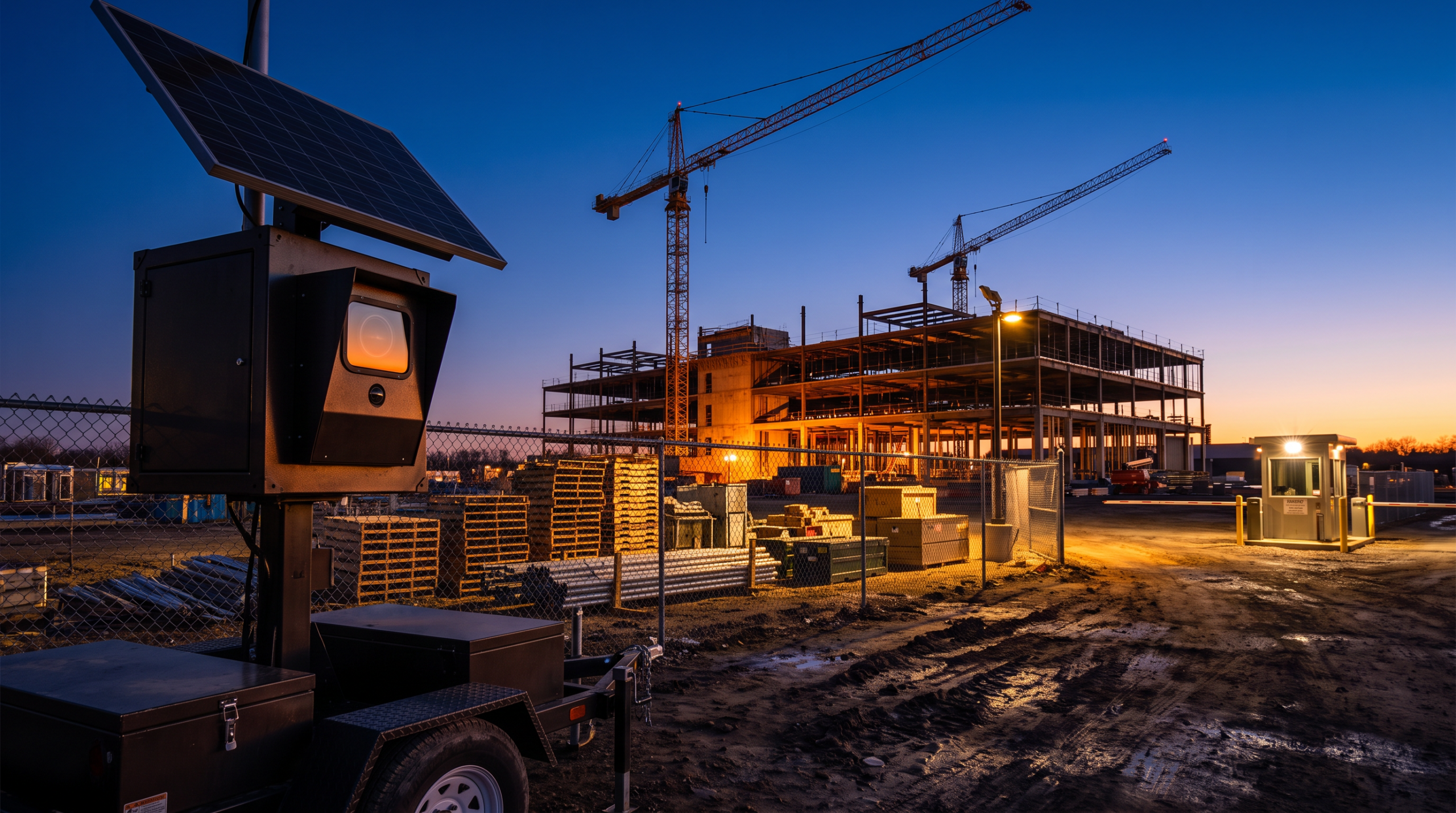
Key Takeaways
- A construction site security plan has to change as fast as the site itself, fixed thinking creates blind spots.
- Monitored video lets a team verify and respond to after-hours activity instead of just reviewing it the next morning.
- Fixed, mobile, and solar or wireless camera options each fit a different phase of the build.
- Access control keeps rotating subcontractors, vendors, and inspectors accountable without slowing deliveries.
- Video, alarms, and access logs together create the operating record contractors need for insurance and liability.
What Security Challenges Does an Active Construction Job Site Face?
An active construction job site faces changing perimeters, rotating crews, and rising after-hours risk, unlike a finished property with stable entrances and predictable traffic. A construction site does not stay fixed: temporary fencing may move, crews rotate, and vendors arrive at different hours. Equipment and materials sit in open areas because the work demands it, and power or network access may be limited early in a project.
That creates three practical security problems:
- Visibility changes constantly: A camera angle that covered the right area last week may miss the new laydown yard this week.
- Accountability gets harder: Multiple subcontractors, delivery drivers, inspectors, and vendors may need site access at different times.
- Risk rises after hours: Theft, vandalism, trespassing, and unauthorized entry often happen when no one from the project team is on site.
Industry groups such as the Associated General Contractors of America publish broader jobsite-risk guidance that can help frame these challenges before a system is designed.
How Does After-Hours Remote Video Monitoring Support a Verified Response?
After-hours remote video monitoring supports a verified response by letting a team confirm and act on suspicious activity in real time, not just record it. Recording-only cameras show what happened after the fact. Monitored video helps a team act while something is happening, such as someone entering through a fence gap, approaching stored materials, or loitering near equipment after the crew has left.
A strong monitoring setup should support a clear response workflow:
- Detect activity in defined zones such as gates, fence lines, equipment areas, and trailers.
- Filter normal motion from suspicious after-hours activity.
- Verify what is happening through a live video review.
- Trigger the right response, such as an audio warning, alarm escalation, or dispatch process.
- Preserve incident footage and activity records for follow-up.
This is where monitored alarms and video work better together. An alarm without video can create uncertainty, and video without a response plan becomes evidence only after the fact. Together, they give a team one source of truth when the site is empty and minutes matter.
The choice between remote monitoring and on-site guard coverage should be based on what a site needs after hours, deterrence, verification, escalation, documentation, or a mix of all four, not which option sounds stronger in theory. See overnight video monitoring vs security guards for a deeper comparison.
Why Does Construction Site Coverage Need to Be Fast-to-Deploy and Flexible?
Construction site coverage needs to be fast-to-deploy and flexible because fixed camera placement creates blind spots as the build changes. A good deployment plan starts with the current site layout, then assumes it will change: gates may move, staging areas may shift, and finished sections may need less coverage while new work zones need more.
| Deployment option | Best fit | Watch-out |
|---|---|---|
| Fixed cameras | Stable entrances, trailers, long-term storage areas, and defined perimeters | Can become less useful when the site layout changes |
| Mobile units | Changing work zones, temporary perimeters, equipment areas, and fast-start projects | Placement must be reviewed as the project phase changes |
| Solar or wireless units | Sites with limited power, limited network access, or early-stage infrastructure | Performance depends on placement, connectivity, and environmental conditions |
Solar and wireless options are useful when permanent infrastructure is not ready. Mobile units are useful when the highest-risk area keeps moving. Fixed cameras still have a role when a gate, trailer, or storage area will stay put. The best answer is often a blend: stable points get fixed coverage, and re-deployable units cover the areas changing fastest.
How Does Access Control Work for Changing Crews and Vendors?
Access control works for changing crews and vendors by defining who can enter which areas and when, instead of relying on one shared gate process. Video shows what is happening; access control shows who should be there in the first place. That distinction matters on a job site with rotating subcontractors, temporary vendors, delivery windows, inspectors, and managers who do not all work the same schedule.
An access control platform gives a cleaner way to manage:
- Who has access to the site.
- Which gates, trailers, or controlled areas they can enter.
- When access should begin and end.
- How permissions change as crews come and go.
- What audit trail exists if an incident needs review.
The goal is to control access without slowing down the work. Entry permissions should match real site operations: deliveries need to flow, crews need predictable access, and project leaders need the ability to add, remove, or adjust permissions quickly.
What Should Perimeter and Equipment Protection Cover First?
Perimeter and equipment protection should cover gates, laydown yards, and equipment areas first, since those are where unauthorized access begins and where the highest-value assets are exposed. The perimeter defines where unauthorized access starts. Gates are the normal path in and out. Laydown yards matter because materials are exposed, and equipment areas matter because high-value assets may sit unattended after hours.
Construction site video monitoring should focus on those areas first, then adapt as risk shifts. Useful capabilities include perimeter detection, after-hours intrusion alerts, equipment-focused camera views, and license plate recognition where vehicle entry is a concern. AI analytics can help, but only when tied to a practical monitoring plan: the value is reducing noise, identifying suspicious activity faster, and giving the right person better information to respond with.
How Does Construction Site Security Support Insurance and Liability?
Construction site security supports insurance and liability by creating a documented record of who was on site, when activity occurred, and how it was handled. Video footage, access logs, alarm events, and incident notes help reconstruct what happened, and they can support internal review, vendor discussions, insurance conversations, and liability documentation.
A well-documented system should make it easy to answer basic questions:
- Who entered the site?
- What time did activity occur?
- Which camera captured the event?
- Was there an alert, warning, or escalation?
- What record can be shared with the right stakeholders?
Documentation does not eliminate every dispute, but it gives a stronger operating record, which matters most when multiple companies work on the same site and responsibility is not always obvious. Groups such as the National Insurance Crime Bureau track equipment theft trends that reinforce why this documentation matters industry-wide.
How Do You Keep Security From Slowing Down the Build?
Security stays out of the way of the build when the plan is designed around how the project actually runs, not just around cameras and locks. If a gate process blocks deliveries, someone will find a workaround. If camera placement interferes with staging, it will get moved or ignored. If permissions are slow to update, crews may share access.
Before deployment, align the system with:
- Current and upcoming site phases.
- Gate locations and delivery routes.
- Work hours and after-hours rules.
- Subcontractor onboarding and offboarding.
- Equipment storage and material staging.
- Response expectations when an alert is verified.
This is where an integrated platform makes a big difference. Commercial video security, alarms, and access control should not operate as separate islands. When they work from one source of truth, a team can manage the site with less confusion and better accountability.
How Does Vitalis Security Secure Active Job Sites?
Vitalis Security secures active job sites with a system built around real jobsite workflows, including remote video monitoring, construction security cameras, monitored alarms, access control, perimeter detection, and flexible deployment options designed around the site phase. The goal is not to sell a box of cameras. The goal is to reduce risk, verify after-hours activity, manage access, and keep the build moving.
For construction, development, and specialty site needs, Vitalis Security also supports small business & specialty security and related industrial site security environments where visibility, uptime, and controlled access matter.
How Do You Start With a Security Assessment?
Start with a practical review of the current layout, after-hours risk, access points, and deployment constraints. Contractors, developers, project managers, and site operators can request a free security assessment, and Vitalis Security will help map the right coverage before the next weak point becomes the next incident.
Frequently Asked Questions
What should construction security cameras cover on an active job site?
Start with the areas where risk is highest: gates, fence lines, laydown yards, trailers, material storage, and equipment staging. Those are the places most likely to be targeted after hours or affected when the site layout changes. If coverage is limited, protect the perimeter and the most valuable assets first.
How does construction site security monitoring work after hours?
After-hours monitoring uses live video, alerts, and a response plan to detect suspicious activity when no crew is on site. The goal is to verify what is happening quickly and escalate if needed, rather than discover the problem the next morning.
Can construction site video monitoring work if the site does not have full power or internet yet?
Yes. Sites often use mobile, solar, or wireless options when permanent infrastructure is not ready. The right setup depends on where coverage is needed, how often the site changes, and whether a temporary or longer-term installation makes more sense.
How do you keep access control from slowing down crews and vendors?
Use permissions that match the way the site actually operates. Crews, subcontractors, and vendors should have access only to the areas and times they need, with a simple process for adding or removing entry rights as schedules change.
Can construction site security monitoring help with liability and incident records?
yes. Video footage, access logs, and alarm events can help document who was on site, when activity occurred, and what happened during an incident. That record can be useful for internal review, insurance discussions, and resolving disputes with contractors or vendors.